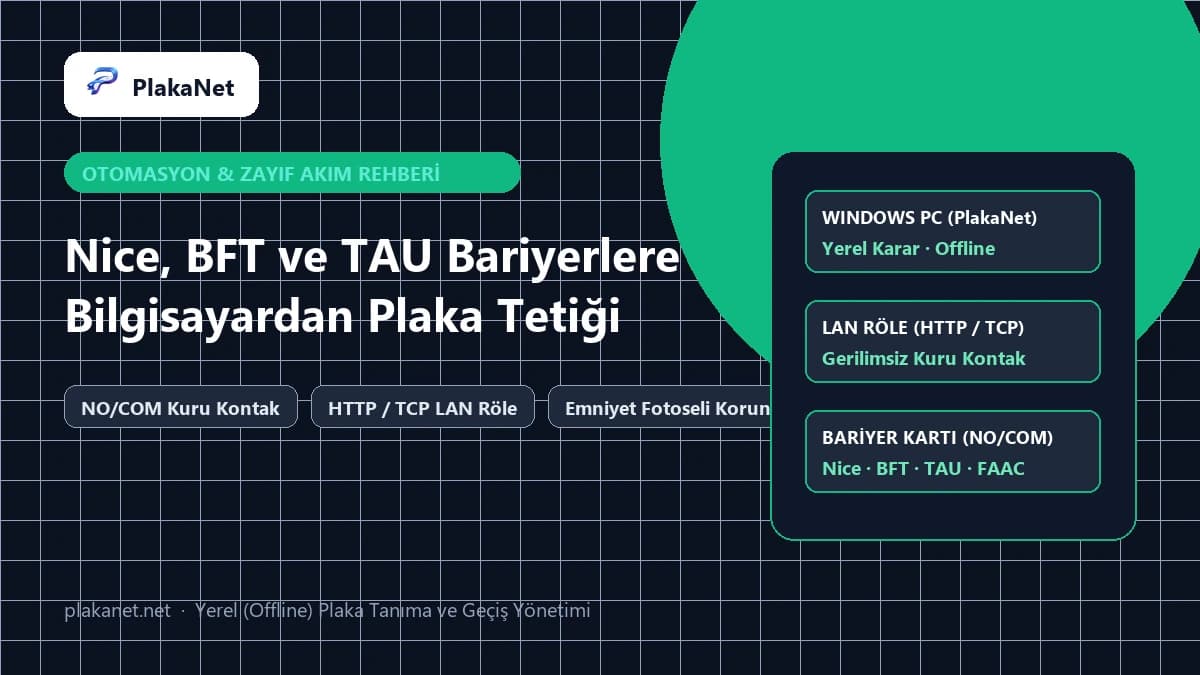
Practical wiring and network relay guide for installers: triggering Nice, BFT, TAU, and standard boom barriers from PlakaNet via voltage-free NO/COM dry contacts while preserving safety photocells.
Integrating license plate recognition with existing Nice, BFT, TAU, FAAC, Came, or local boom barriers never requires replacing the barrier control board. Any barrier that accepts a guardhouse push-button can be triggered cleanly from PlakaNet using a voltage-free dry-contact relay.
However, wiring external voltage into dry-contact terminals or picking the wrong step-by-step input can damage the controller or reverse a rising boom arm. This guide covers safe NO/COM dry-contact architecture, LAN/HTTP relay modules, and safety loop preservation.
Safety notice: Terminal numbering varies across barrier models and board revisions. Always verify the exact terminal diagram in the manufacturer's installation manual with power disconnected before wiring.
1. Voltage-Free Dry Contact (`NO` + `COM`) Explained
A barrier's external push-button input expects a momentary zero-volt contact closure (0.5–1.0 second pulse) between its own COM and OPEN terminals:
- Correct: Wire the relay module's `COM` and `NO` (Normally Open) terminals directly to the barrier's dry-contact input.
- Never apply external 12V/24V/220V onto dry-contact inputs—doing so can destroy the barrier board logic.
2. Choosing Between LAN/HTTP IP Relays and Local Relays
| Relay Option | Connection | Best Fit | Why Installers Prefer It |
|---|---|---|---|
| LAN / PoE HTTP-TCP IP Relay | Cat6 Ethernet via local switch | Gates 5–100 m away from the PC; multi-lane sites & factories | Eliminates fragile USB extenders; shares existing PoE camera switch infrastructure |
| Opto-isolated Local Relay | Inside guardhouse cabinet | Single-gate kiosk where PC sits next to barrier panel | Simple short-run wiring |
3. `OPEN` Only vs. `STEP-BY-STEP` (`SBS`) on Nice, BFT & TAU Boards
| Input Type | Barrier Behavior | Recommended for ANPR? | Reason |
|---|---|---|---|
| Dedicated `OPEN` input | Opens when closed; refreshes open timer if already opening/open | YES — Preferred | Back-to-back authorized vehicles never cause the arm to stop or reverse mid-cycle |
| `SBS` / `START` input | Toggles Open → Stop → Close unless Condominium mode is enabled | Only with Condominium + Auto-Close enabled | Prevents a second read from halting the barrier |
4. Preserving Photocells, Loop Detectors & Remotes
- Keep safety photocells and inductive ground loops wired directly to the barrier controller's hardware safety inputs—software never overrides physical obstacle protection.
- Existing RF remotes and HGS readers remain wired in parallel during transition.
Pair this setup with our Hikvision & Dahua night camera guide, bidirectional single-lane gate guide, and installer partnership page.