Skip to content
PlakaNet
ANONYMIZED FIELD ARCHITECTURES · PRODUCTION WORKFLOWS

Real-World Field Scenarios & Technical Architectures

Explore how PlakaNet solves complex vehicle access challenges—from two-camera tractor/trailer plate pairing on single-lane weighbridges to offline residential barrier automation.

  • Two-camera front/rear pairing
  • Offline Windows decision engine
  • Sync-verified daily Excel reports

Privacy & Transparency Disclosure

To protect customer privacy (KVKK/GDPR) and commercial confidentiality, company names and real vehicle plates are never published here. These scenarios represent anonymized technical architectures built on PlakaNet's production engine (bounded two-camera pairing, 4-photo evidence, and sync-verified scheduled email). UI visuals show the actual Windows desktop app; every site validates recognition on its own RTSP stream via the 7-day free trial.

Three Core Field Architectures

Review camera topology, relay triggering, and reporting workflows across industrial, residential, and integrator deployments.

SCENARIO 01 · INDUSTRIAL WEIGHBRIDGE & LOGISTICS GATEAnonymized Industrial Layout (Single-Lane Bidirectional Gate / Weighbridge Approach)

Two-Camera Weighbridge Lane: Tractor + Trailer Pairing & Sync-Safe 22:00 Excel Reports

Visual Evidence
4 Photos / Pass
Pairing / Freshness
20 s / 2 s
Ambiguity Guard
≤ 500 ms
Email Guarantee
Sync-Verified

Field Challenge

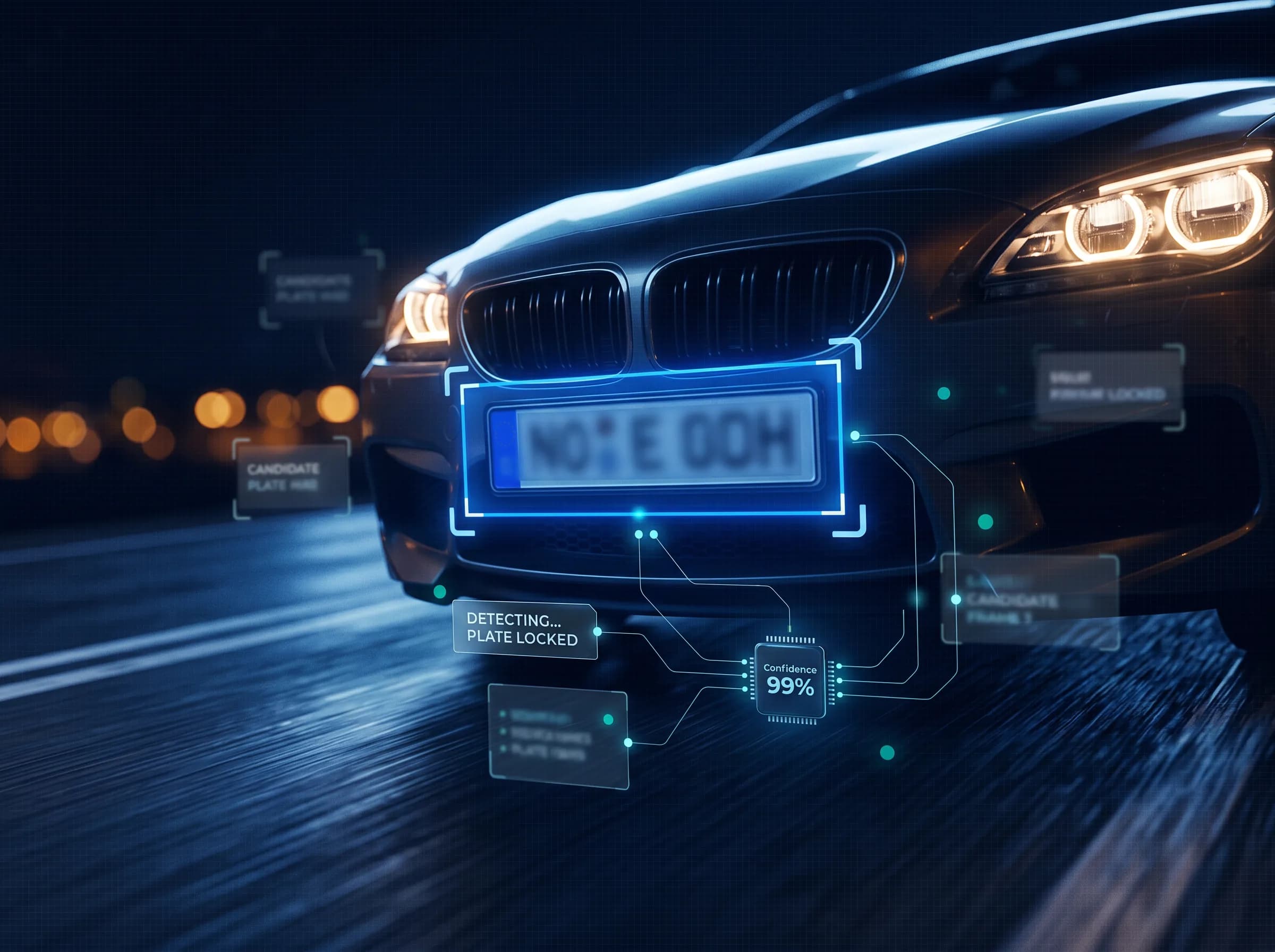
Semi-trucks carry different front (tractor) and rear (trailer) plates. Single-camera ANPR misses the trailer, while naive dual-camera setups cross-pair stale plates during slow maneuvers or send empty scheduled reports if the gate PC is powered down at night.

PlakaNet Production Architecture (Two-Camera Pairing + Sync Guard)

  • First-seen direction ordering: Right-first starts an Entry candidate, left-first starts an Exit candidate within bounded 20 s pairing and 10 s confirmation windows.
  • Shared fresh visibility: Front and rear candidates require fresh co-visibility (default ≤2 s, 5 consistent reads per camera on weighbridge template); stale disappeared plates are never paired.
  • ≤500 ms direction-ambiguity guard: When first-seen timestamps differ by 500 ms or less, PlakaNet refuses to guess direction, suppresses physical triggers, and logs an auditable 'Ambiguous direction' case.
  • Departure lock: Requires fresh vehicle-absent evidence on both camera zones before allowing a new entry; transient unreadable frames or stream freezes do not clear the lock.
  • 4-image evidence + sync-verified email: Stores front full, front crop, rear full, and rear crop photos, and holds scheduled XLSX emails until an offline PC reconnects and finishes syncing.
SCENARIO 02 · MULTI-BLOCK RESIDENTIAL COMPLEXAnonymized Residential Setup (100–400 Vehicles, Single or Dual Barrier)

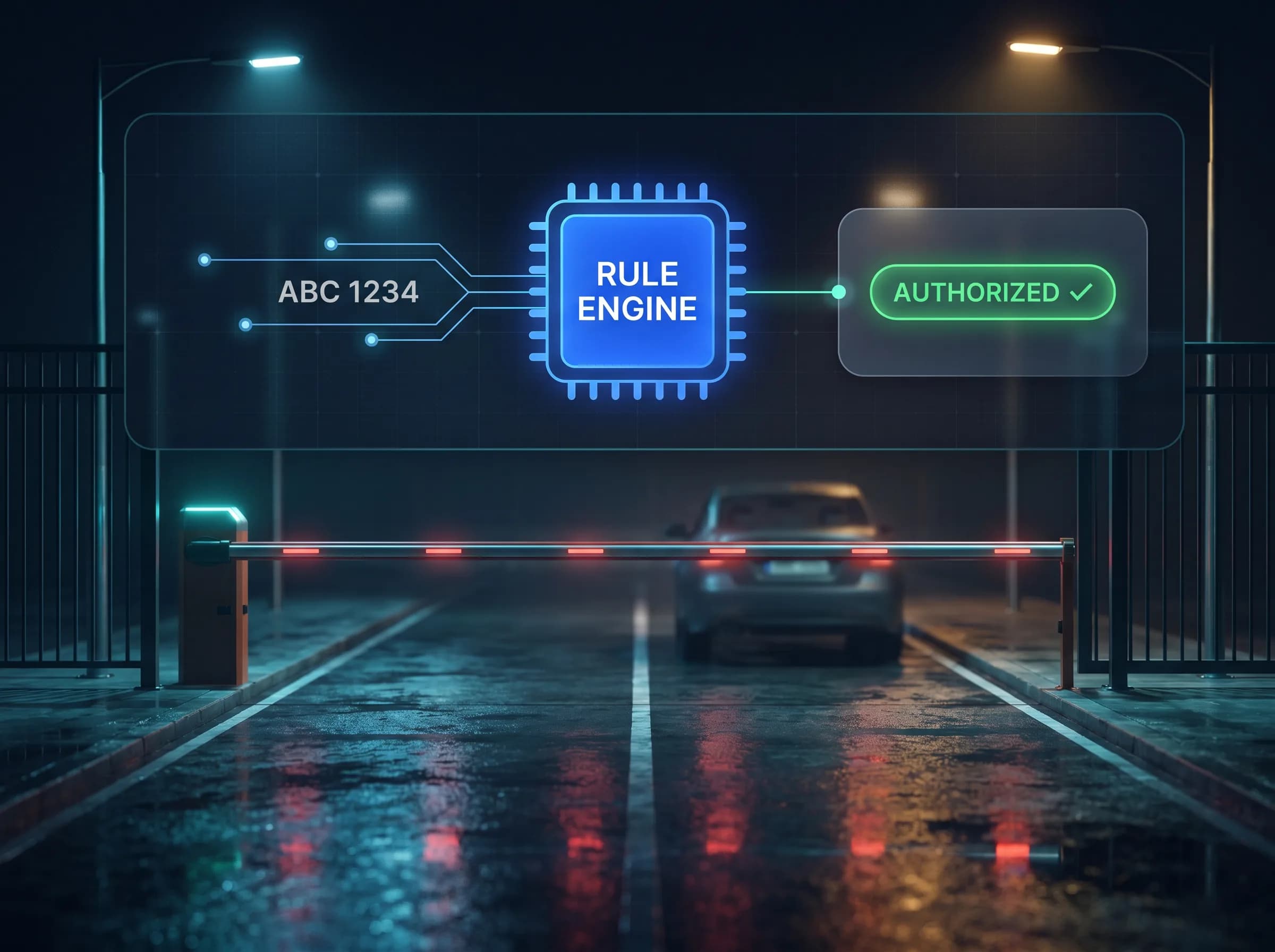
Tagless & Remoteless Residential Gate: Existing RTSP Camera + Local Relay Trigger

Tag / Remote Consumables
$0
Internet Dependency
None (Offline)
Resident Import
Excel / CSV
Free Evaluation
7-Day Trial

Field Challenge

Physical remotes are copied or kept by former tenants, while UHF windshield stickers fail behind athermic/tinted glass and cannot handle visitors or delivery vehicles.

PlakaNet Local Residential Architecture

  • Reuses suitable IP cameras: Tunes existing 1080p RTSP cameras with 1/1000 s night shutter and HLC before proposing new camera hardware.
  • 100% offline barrier opening: Recognition and LAN relay triggering run locally on Windows 10/11 even when internet connectivity drops.
  • Unit-based lists & timed guest passes: Bulk CSV/Excel import for residents, instant revocation on move-out, and time-bounded visitor plate permissions.
  • Parallel hybrid transition: Existing remote receivers remain wired in parallel while residents transition smoothly.
SCENARIO 03 · CCTV & BARRIER INTEGRATOR PROJECTStandard Commissioning Blueprint for Security & Gate Automation Installers

Hikvision / Dahua IP Camera + Nice / BFT / TAU Barrier Commissioning

Camera Protocol
RTSP / HTTP
Barrier Output
NO/COM Dry Contact
License Model
6 / 12-Month Term
Partner Support
Demo + Remote Commissioning

Field Challenge

Installers lose bids when forced to quote proprietary LPR cameras or recurring per-camera cloud fees, and suffer costly callbacks from night headlight glare or improper relay wiring.

PlakaNet Integrator Commissioning Architecture

  • Direct RTSP ingestion: Connects Hikvision (Channels/101) and Dahua (subtype=0) H.264 main streams over the local PoE switch.
  • Voltage-free dry contact (NO + COM): Sends a 0.5–1.0 s momentary pulse via LAN HTTP/TCP relay to Nice, BFT, TAU, FAAC, or Came OPEN/START terminals.
  • Preserved safety circuits: Photocells and inductive loops stay wired directly to the barrier controller.
  • One-ZIP offline diagnostics: Exports camera health, Windows service events, and pairing evidence without exposing raw databases or credentials.

Desktop Application Screens & Local Workflow

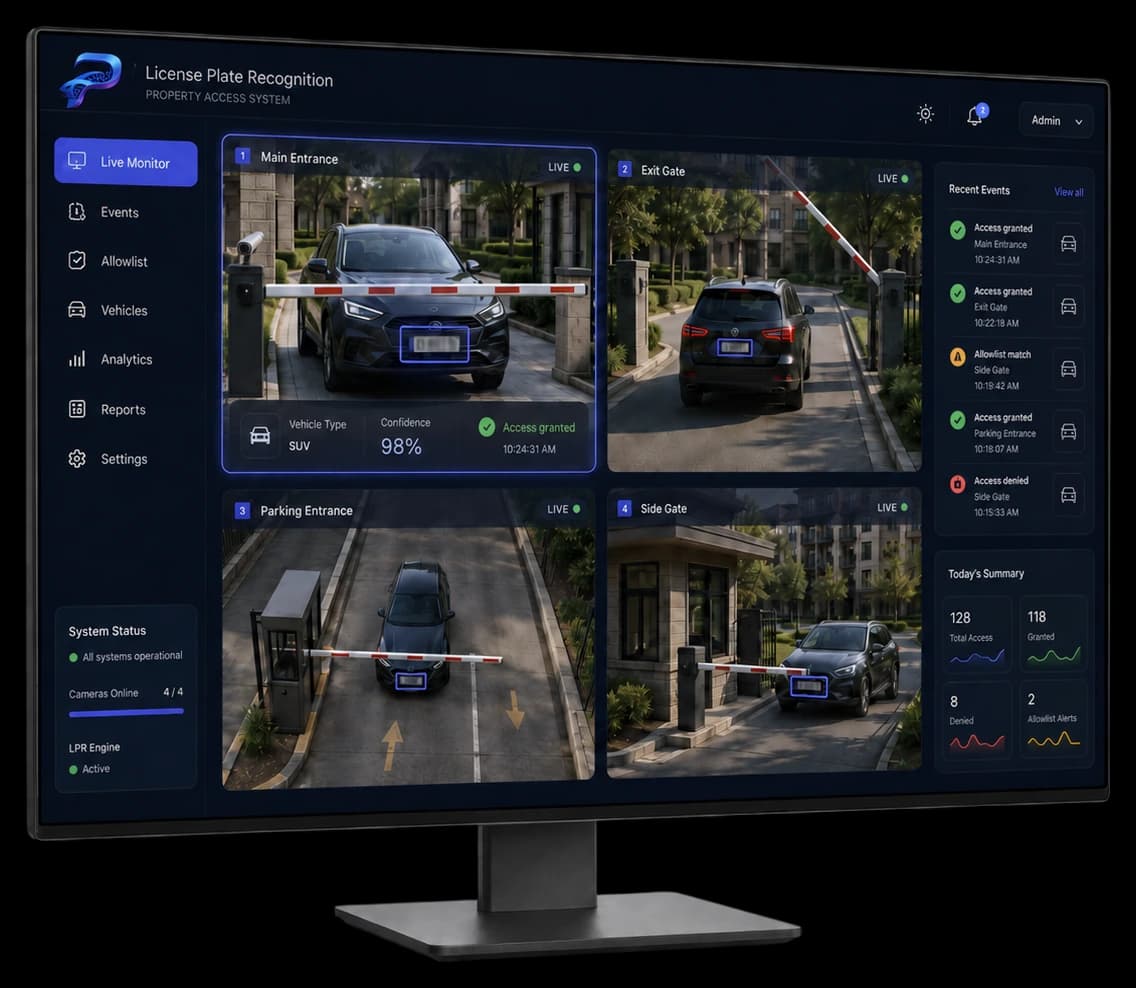
Actual PlakaNet Windows desktop screens showing live stream ingestion, local OCR, and passage reporting.

Live Operator & Multi-Camera Console
Live Operator & Multi-Camera ConsoleLive RTSP feed, cropped plate evidence, permission status, and manual gate controls on a single Windows screen.
On-Device Plate Detection & OCR
On-Device Plate Detection & OCRLocal plate detection and character recognition execute on-device without internet latency.
Passage Archive & Excel Export
Passage Archive & Excel ExportTimestamps, direction, camera ID, and passage photos archived locally with one-click CSV/XLSX export.

Day & Night Field Acceptance Checklist

Five engineering thresholds we verify during a 15-second live pass test on your camera:

CheckpointTarget ThresholdCommon MistakeField Impact
Night Shutter Speed1/500 s – 1/2000 sLeaving factory Auto exposure (1/25 s)Headlights overexpose reflective plates into white rectangles
Horizontal Plate Width≥ 120 – 150 pixelsUsing a 2.8 mm wide lens from 12+ meters awayCharacter confusion on narrow strokes (B/8, D/0)
Horizontal / Vertical Angle≤ 25° horizontal, ≤ 30° verticalMounting steep overhead right above the boomTruck cabs or bumper-to-bumper queuing occlude plates
Headlight SuppressionHLC enabled or balanced WDRMax Smart IR with HLC disabledIR reflection washes out plate contrast at night
Stream StabilityH.264 Main Stream, 15–25 fps, wired PoEUnstable Wi-Fi bridge or low-res sub-streamKeyframe drops right as the vehicle crosses the zone
TESTED RTSP / ONVIF CAMERA SETTINGS

Tested IP Camera Families & Required Stream Settings

Only camera families and protocols verified directly with PlakaNet for RTSP stability, night shutter clarity, and headlight suppression are listed below.

Camera Family / ProtocolVerified RTSP PathResolution & FPSNight Shutter SpeedAngle & Glare Rule
Hikvision DS-2CD2T / DS-2CD20 & HiLook IPC-B (2MP–4MP Bullet)/Streaming/Channels/101 (H.264 Main)1920×1080 · 15–25 fps · Wired PoE1/500 s – 1/1000 s (Manual / Fixed)HLC On, ≤ 25° horiz., ≤ 30° vert., plate ≥ 130 px
Dahua IPC-HFW2 / Lite & WizSense Series (2MP–4MP Bullet)/cam/realmonitor?channel=1&subtype=01920×1080 · 15–25 fps · Wired PoE1/500 s – 1/2000 s (Shutter Priority)HLC or balanced WDR, moderate Smart IR, ≤ 25° angle
ONVIF Profile S Standard PoE IP Cameras (H.264)ONVIF RTSP H.264 primary stream1080p minimum · 15–25 fps · Wired PoE≥ 1/500 s at night (disable Auto 1/25 s)Plate width ≥ 120–150 px, direct lane alignment

Transparency note: Untested camera models are never listed here. You can validate any RTSP IP camera free for 7 days on your Windows PC or send a 15-second gate clip via WhatsApp.

FREE COMPATIBILITY CHECK

Are your existing camera and gate suitable for PlakaNet?

Share a photo of your entrance and your IP camera or barrier model (RTSP/ONVIF cameras such as Hikvision, Dahua, Axis, HiLook, Uniview, etc.) on WhatsApp; we will review angle and image suitability free of charge before you buy hardware.

  • Entrance angle and night-vision check
  • RTSP/ONVIF camera & HTTP/TCP/relay barrier review
  • Clarify software-only vs. turnkey setup

Field Readiness & Compatibility FAQ

How can we verify night reading on our existing camera before buying?

Request the 7-day free trial at plakanet.net/deneme on a Windows PC to test your live RTSP stream directly, or send a 15-second day/night gate clip on WhatsApp for a free angle and exposure check.

Does PlakaNet measure scale weight directly on weighbridges?

PlakaNet records confirmed vehicle passages with front/rear plates, timestamps, direction, and 4 images; it does not measure weight by itself. Scale indicator or ERP integration is assessed separately per project.

What happens to scheduled email reports if the gate PC is offline at night?

Local logging continues uninterrupted. Scheduled reports wait in sync-hold until the PC reconnects and completes edge synchronization before sending the full XLSX report.

Test Live on Your Own Gate Camera

Share your camera and barrier models for a free suitability check, or run the 7-day free Windows trial on your live RTSP stream.