Compare cloud-based and offline LPR systems on GDPR, data privacy, cost and security. Which is safer for sites and parking lots?
When choosing an LPR system, most focus on accuracy, price and hardware compatibility. Yet an equally important question is: where is the data processed? Cloud or on-device? This choice determines GDPR compliance, data security and operational continuity.
This article compares offline (local) and cloud-based LPR systems, examining their advantages and risks regarding GDPR and data privacy.
What Is a Cloud-Based LPR System?
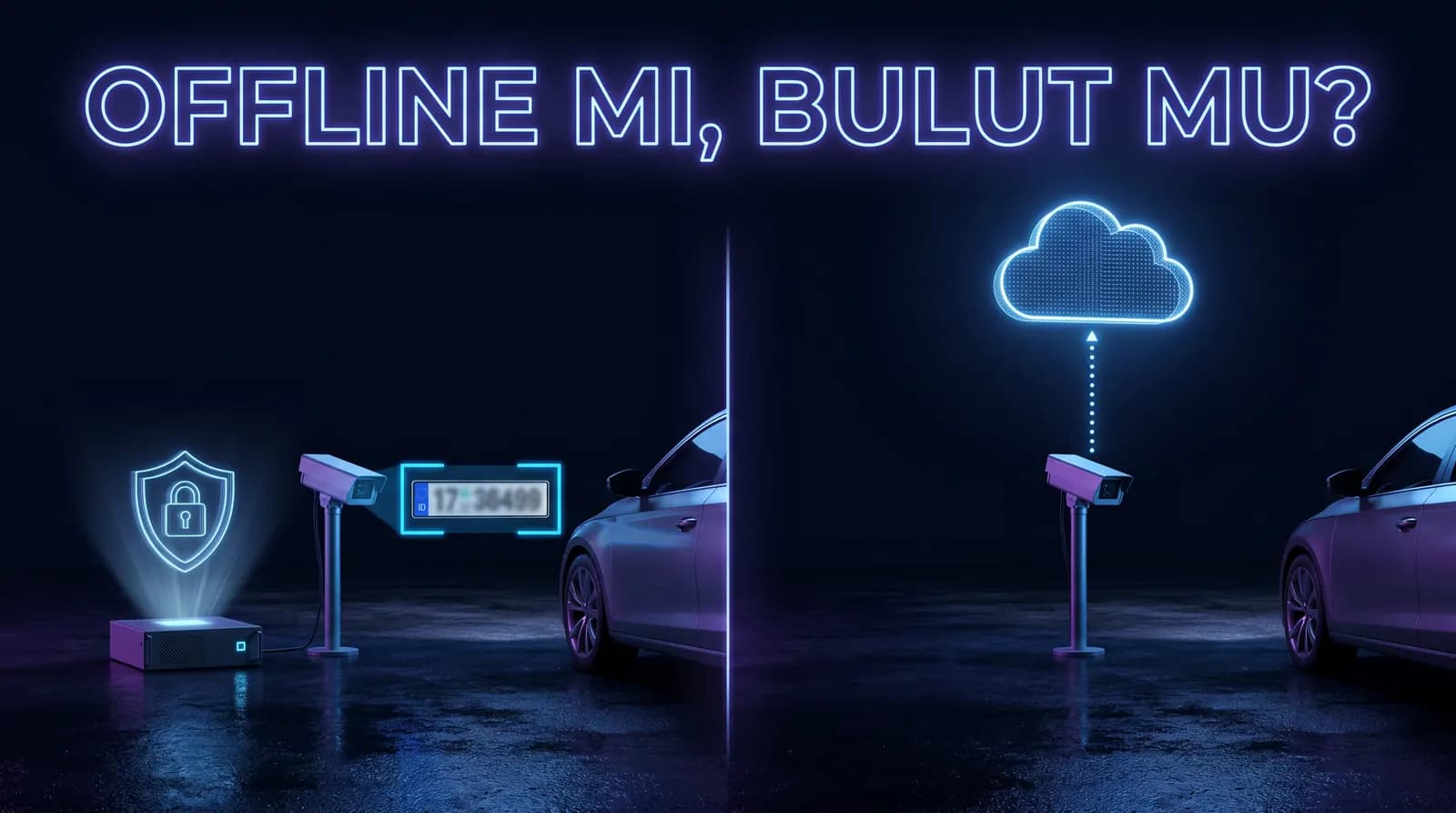
In a cloud system, images from cameras are sent over the internet to a cloud server. Plate detection, OCR and decision-making happen in the cloud; results are sent back to the local device.
Typical flow: Camera → image compression → cloud upload → cloud processing → result return → barrier trigger.
Cloud advantages
- Remote access: Multiple sites managed from one panel.
- Centralized updates: Software updates arrive automatically.
- Hardware independence: Local device need not be powerful; processing is in the cloud.
Cloud risks
- Internet dependency: If connection drops, the system stops; barriers won't open.
- Latency: Upload + cloud processing + result wait → total delay can reach 1-3 seconds. Queues form in heavy traffic.
- Transfer risk: Images travel over the internet; even with TLS, endpoint risk remains.
- GDPR burden: If images are processed by third-party cloud providers, they act as data processors. This requires additional contracts and guarantees.
- Cost model: Most cloud LPR charges monthly/per-vehicle. Costs accumulate over time.
What Is an Offline (Local) LPR System?
In an offline system, all processing happens locally (Windows PC, edge device or embedded AI camera). No image leaves the device; decisions are made locally, barriers triggered locally.
Typical flow: Camera → local software processing → decision → barrier trigger (HTTP/TCP/relay).
Offline advantages
- Internet independence: Works at full capacity even when connection drops.
- Low latency: Local processing keeps total latency under 600 ms.
- Data stays on-device: Images never leave the corporate network.
- Easier GDPR compliance: Data controller and processor are the same entity, simplifying the process.
- Fixed cost: the software licence runs by term and is independent of camera count; no per-vehicle or monthly cloud fee.
Offline considerations
- Local hardware required: Sufficient GPU/CPU needed (modern AI engines run on mid-range Windows PCs).
- Remote access needs setup: Multi-site management requires VPN or secure remote access configuration.
- Backup is local: You manage your own backup and archiving policies.
GDPR Comparison
Under GDPR, vehicle plates and vehicle images are personal data. Even if a plate alone doesn't directly identify a person, it can be linked to the vehicle owner, so it falls under GDPR.
Cloud system GDPR obligations
- Data controller: Site owner/management.
- Data processor: Cloud provider (e.g., AWS, Azure, local provider).
- Requirements: Data processing agreement (GDPR Art. 28), transfer legal basis, cloud provider's GDPR certifications, possible cross-border transfer authorizations.
Offline system GDPR obligations
- Controller and processor: Same entity (the site).
- No transfer: Since data doesn't leave the device, no third-party transfer agreement needed.
- Retention and deletion: Managed via local policies; automated cleanup tasks can be set.
GDPR audits frequently ask "where and by whom is data processed?" — offline architecture significantly reduces audit burden.
Other Regulations (BDSG, LOPDGDD, KVKK)
Turkey's KVKK closely parallels the EU's GDPR. Germany's BDSG and Spain's LOPDGDD add extra rules. Their common principle: data minimization, purpose limitation and locality.
In cloud-based LPR, the country where data is processed becomes critical. Cross-border transfer authorizations may be required. In offline systems, this issue disappears — data physically stays on your device.
Cost & Operational Comparison
- Initial cost — Low (less hardware) / Medium (local device needed)
- Monthly cost — High (cloud fee, per-vehicle) / None or low (license renewal)
- Internet outage — System stops / Continues working
- Latency — 1-3 seconds / <600 ms
- GDPR audit burden — High (third-party contracts) / Low (local)
- Remote management — Easy / Requires extra setup
- 3-5 year TCO — High / Low
Which Approach Fits Whom?
Cloud may fit:
- Multi-site corporate facilities wanting centralized management.
- Locations with very strong, uninterrupted internet.
- Large organizations managing GDPR processes professionally.
Offline may fit:
- Single-location sites, parking lots, factories, campuses.
- 24/7 operations where internet outage is critical.
- Businesses wanting simpler GDPR compliance.
- Those avoiding per-vehicle/monthly cloud fees.
Systems like PlakaNet prefer offline architecture, making them suitable for site/parking operations both in cost and data security.
FAQ
Is plate data personal data under GDPR?
Yes. Even if a plate alone doesn't identify a person, it can be linked to the vehicle owner, so it's considered personal data under GDPR.
Is cloud LPR illegal under GDPR?
No, but it brings additional obligations: data processing agreement, legal basis for transfer, transfer authorizations. Offline systems largely eliminate these obligations.
Is remote access possible with offline systems?
Yes, via VPN or secure remote access; but it's not as "ready" as cloud, requiring extra setup.
How long should I retain plate data?
Under GDPR, delete data when the processing purpose ends. Define retention in your policy; typical practice is 90 days for event logs, 30 days for images.
Conclusion
The choice between cloud and offline LPR is not just technical; it's strategic for GDPR compliance, operational continuity and total cost.
If you operate a single-location facility, face internet outage risk, or want to simplify GDPR processes, offline architecture is in most cases safer and more economical long-term.
PlakaNet is an AI-based, fully offline LPR system. Data stays on your device; unaffected by internet outages; no monthly cloud fee. Try it free for 7 days or request a setup-included system quote.